This week, we’re proud to welcome new tutor and US-based producer, DJ and Emmy award winning audio engineer - Taylor Franklyn!
In this epic course suitable for all abilities, Taylor takes on a recreation of the awesome synthwave track ‘Nightcall’ by Kavinsky. Featured in the movie ‘Drive’, and becoming the most shazam’d track of all time following its appearance in the closing ceremony at the Paris Olympics, we dive into the production techniques and skills needed to capture that classic ‘Kavinsky’ sound.
With only a few elements and a simple arrangement, less is definitely more with this track, as it still packs a punch.
Over these 10 videos, you’ll learn the sound design and processing tips and tricks to get from a blank slate to a finished masterpiece.
Hey Sonic academy editor - the intro sonic academy sound is going to blast out my speakers though… intro is too loud compared to the rest of the tutorial XD
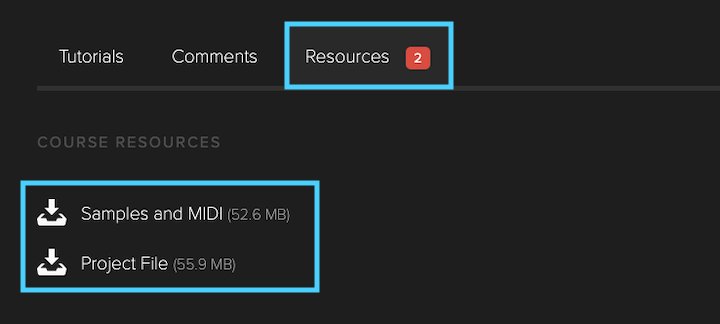
There’s a Project file included in the downloadable resources files if you want to go into details.
Also, in my humble opinion, the main goal with all courses is to get to see how a sound or full track was created and get a good sense of the type of sounds & instruments as well as the techniques used to make the end mix, the copy-cat approach and putting the exact same values on each knobs or settings is less important, you probably do not have the same listening environment as the original producer anyway, so it will always sound slightly different, grab the techniques & workflow first and then adjust to taste and use your ears, reference other tracks as well.
@tpfraz The audio samples are included in the resources downloads.
You won’t always have the same plugins or software as the tutor, that said most of the time there’s a way to adapt to your own DAW and tools at your disposal.
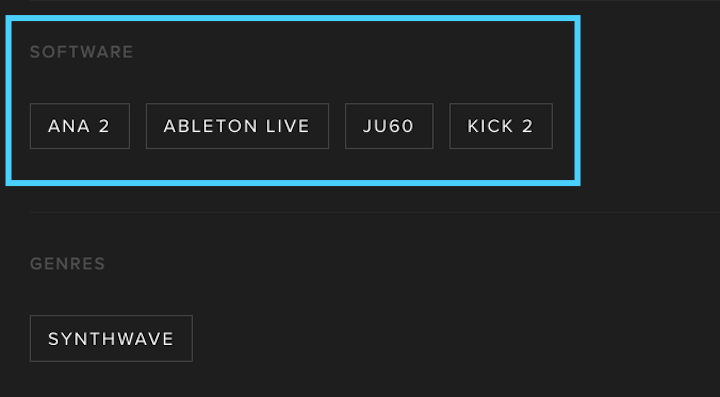
For the missing KICK 2 plugin ( assuming you’re using Ableton Live and can open the project ) you can delete the KICK 2 plugin and replace it with a Simpler/Sampler device and load the audio kick sample in it but keep any processing effects after the KICK 2 plugin.
For info, if you are interested in KICK 2, you can still purchase the plugin at the link below.
KICK 3 is now the latest plugin version for Sonic Academy kick plugin, existing KICK 2 License owners have an upgrade price equal to the full KICK 2 price when then decide to purchase a KICK 3 Upgrade.
So in a nutshell, you could get KICK 2 first and Upgrade to KICK 3 later fro the same price as just directly buying KICK 3.
But again, no need to purchase all missing plugins you do not own when following a tutorial unless you’re interested to get the plugin, there’s always a workaround to get the same or similar sound.
3rd party plugins are not included with the courses, if you don’t own the same plugins used in a course by the tutor, or even if you’re using a different DAW, we encourage using your own plugins & tools.
The final goal is not to sound exactly like the tutor’s track, but rather to learn how a track was made from scratch, and the production techniques that were used. Although it requires more efforts to adapt a course to your own tools, it is actually a very effective way to learn and to progress.
Also, if something isn’t clear enough or if you have specific questions, do not hesitate to point a video number and time stamp and ask your question, either here on the forums, or on Discord.
Yeah, so most courses include Resources Files you can download ( as an active subscriber, or if you’ve purchased a course individually ) with either Samples or Audio Stems, and sometime also Presets, next to a Project File.
Most of the time, Sonic Academy plugins will be used by the tutors, and ANA 2 is usually the soft-synth they use for sound design ( next to KICK 2 / KICK 3 for kicks ). Tutors may also use 3rd party plugins as well.
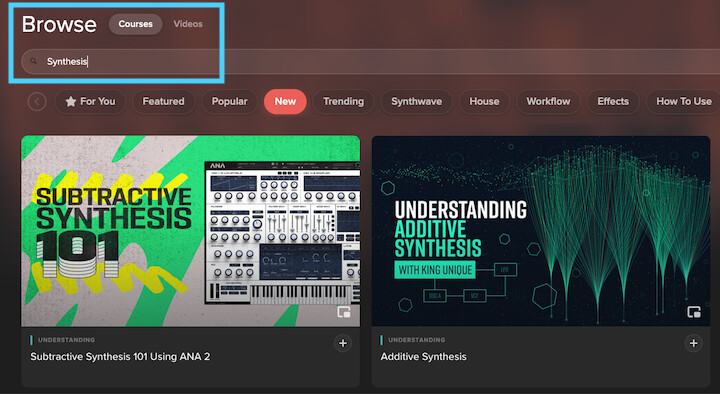
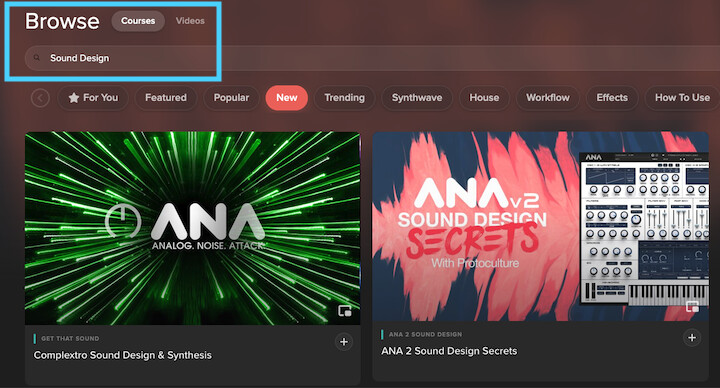
Below are a few tutorials covering Synthesis ( from most recent to oldest ), but best is to use keywords search from the Main Tutorials Page and enter search keywords like “Synthesis” or “Sound Design”.
Thank you for the thoughtful response. Do you recommend I get ANA 2 if I want to learn more about synthesis? I especially want to learn how to get different sounds even I’m using presets, such as learning about the different parameters etc.
Yeah, if you are looking after a soft-synth plugin, and would like to delve into sound design and learn more about synthesis, then ANA 2 is definitely a great one to have.
Not only ANA 2 is the most used soft-synth plugin in Sonic Academy’s tutorials since it’s developed by the company, but it’s actually a very good sounding soft-synth, with very interesting features like the Chord Memory Device, and Arpeggiator, a load of onboard effects and Multi-Sampling engine allowing you to create your own instruments from samples.
The synth itself does subtractive synthesis as well as FM synthesis, it has 3 waveforms oscillators and 3 Sampler Oscillators and high quality filters modeling analog synths.
It comes with a factory library with more than 500 presets installed by default, and Sonic Academy has developed many Presets Packs Extensions over the years, covering most electronic music genre.
Definitely try a 14 days demo by yourself to judge what it can do and try the plugin before deciding to place your order, but yeah, I highly recommend to get ANA 2 at some point if you want to get the most out of Sonic Academy courses, but again, also because it’s an excellent sounding and very flexible soft-synth covering all genres.