View Course
This week, we welcome new tutor Larry Holcombe for a new set of Tech Tips, focusing on Dynamic Loudness.
Larry’s background as the in-house mixing and mastering engineer for CR2 Records means you’re in safe hands when it comes to the knowledge on how to create a competitive loud mix, and over these ten videos, he shares the strategies, techniques, and processing skills he uses to get tracks not only loud enough, but clear and dynamic for your audiences.
Covering aspects such as composition and sound choices, saturation, clipping, limiting, compression, and more, you’ll find headroom and perceived loudness without damaging or diminishing your mix.
A must-watch for any genre and anyone looking to make their tracks stand out in such a competitive industry.
Check it out!
Hi there.
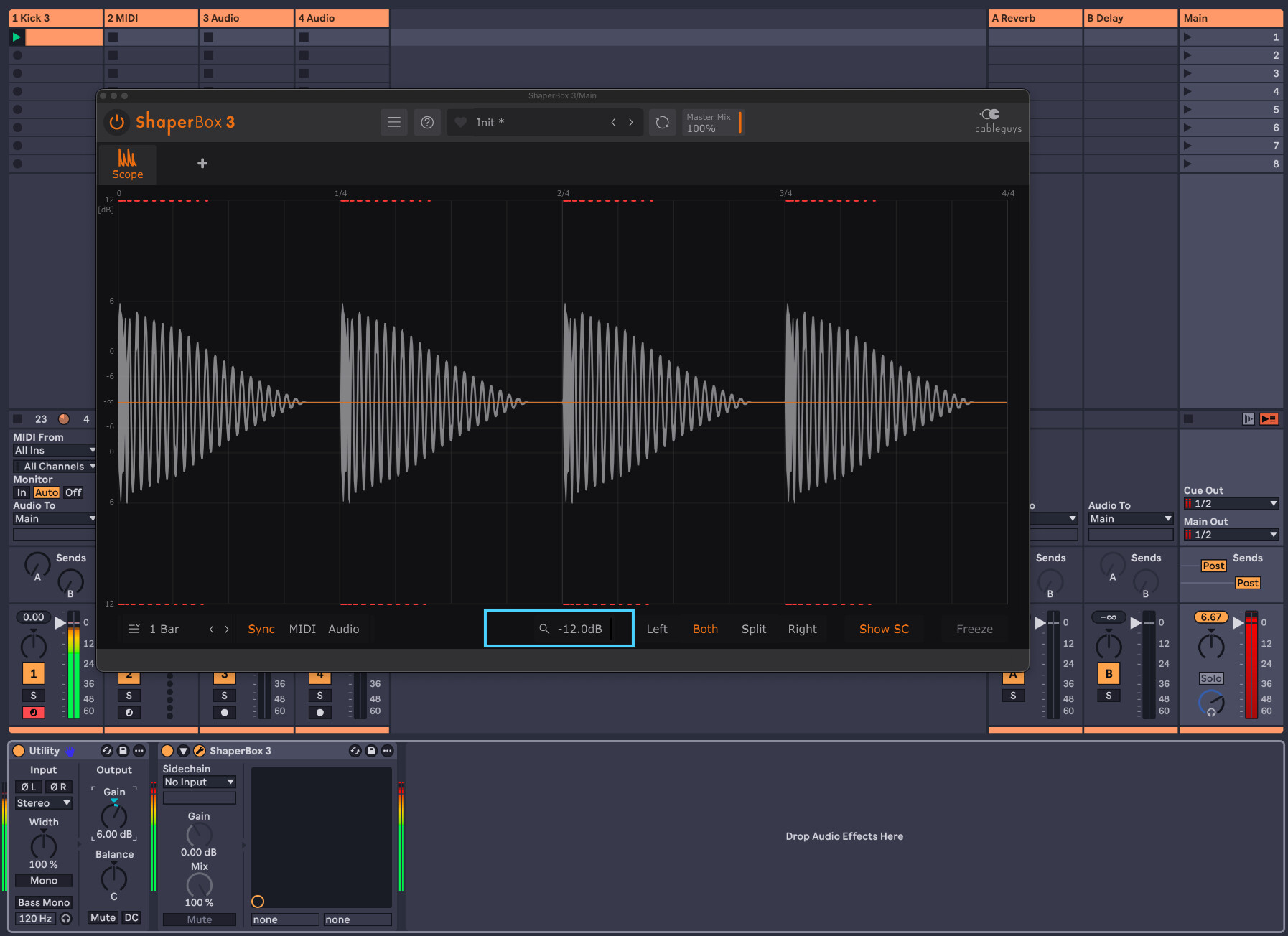
I don’t understand how you can reach more than 0dB as shown in your Shaperbox oscilloscope? That doesn’t make sense. In the digital realm nothing is able to exceed the 0dB usually. Can you elaborate on this? Thanks.
You can scale down ShaperBox 3 oscillator vertical range using the slider at the bottom of the GUI.
With a larger vertical scale, you will see audio signal above the 0 dB threshold line.
That doesn’t prevent to push the levels above 0dB, what you hear is what you get after export.
For example :
-
I Have KICK 3 playing a 4/4 kick pattern on channel 1
-
On the Master channel I place a Utility device before ShaperBox 3 oscillator
-
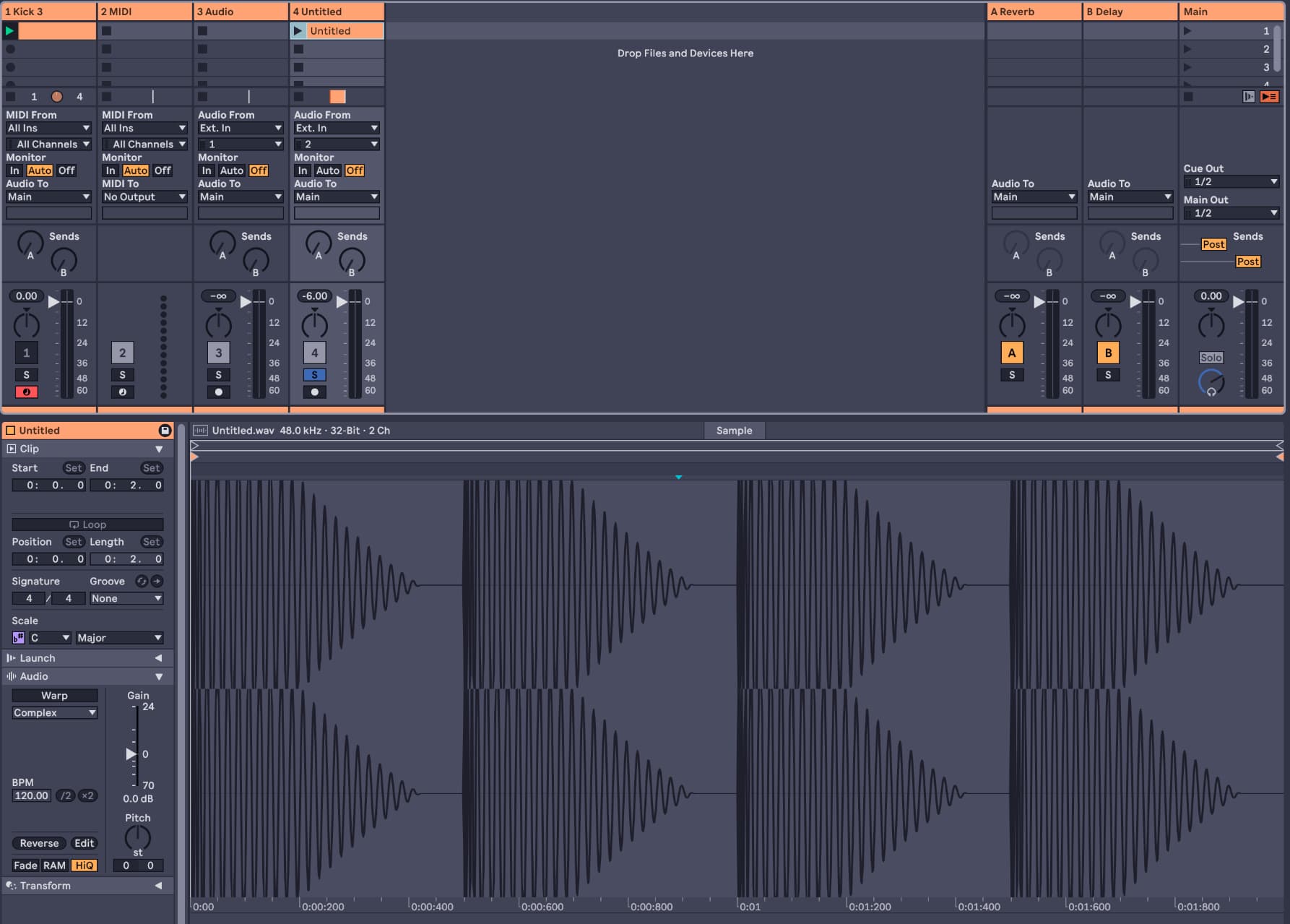
Cranking up the level + 6dB with Utility and exporting ( main output export )
-
The resulting audio file is completely squashed and the waveform is truncated above 0dB
-
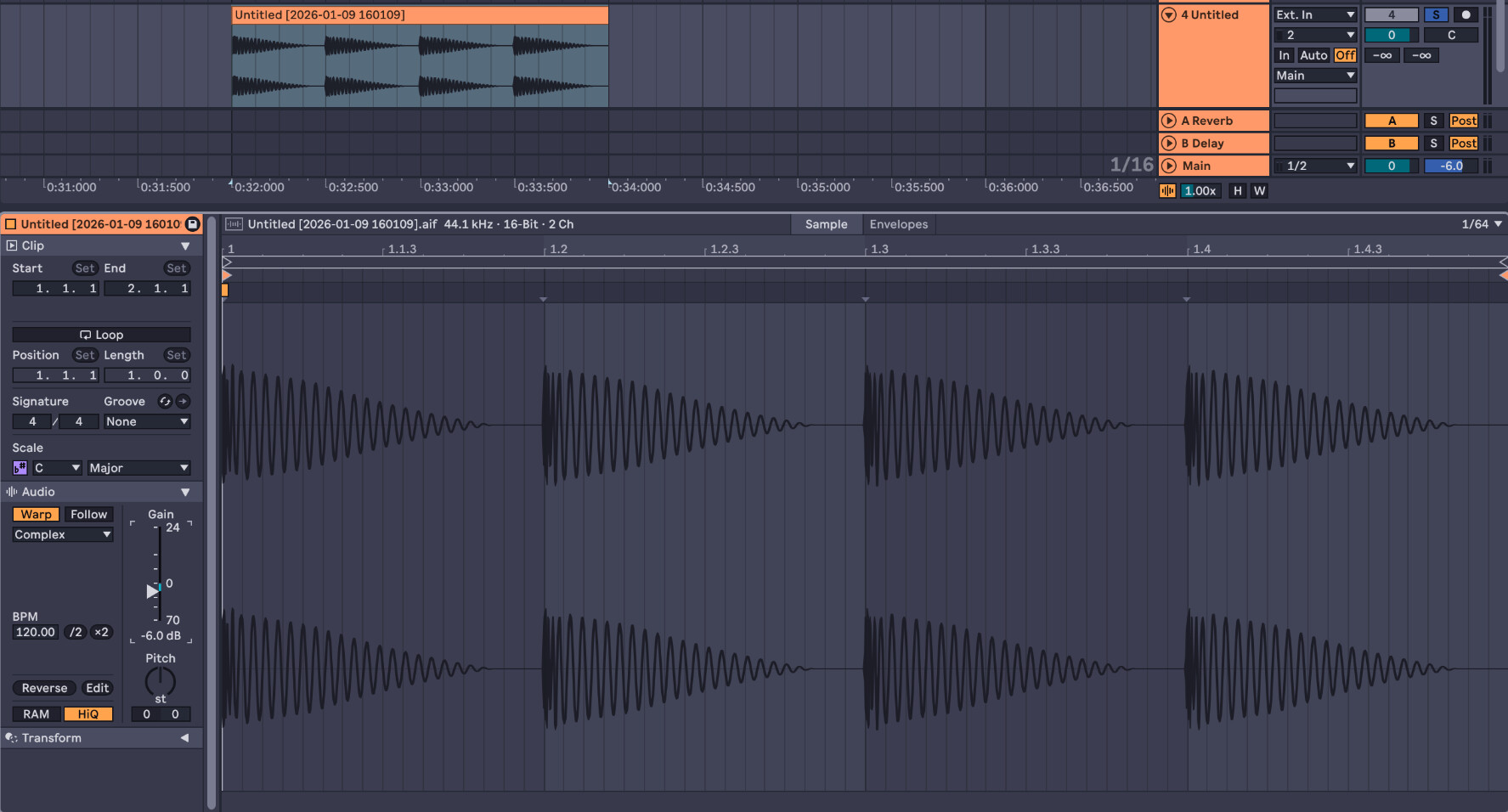
Ultimately, you could level down that audio file -6db again and recover all transients & audio information ( that’s where the above saying about nothing exceeding 0dB in the Digital realm is true ). It’s also used with 32bit audio files format when recording, allowing you not to care about the recording levels, but that’s kind of “conceptual” in audio and nothing prevents you to squash and completely distort your audio signal in the end, again, what you hear is what you get.
Still going through the course but find it really on point and super useful so far, been advocating for gain staging at every stage of the production regardless this concept and trying to preserve dynamic in mixes, all tips & techniques shown in this course are really spot on IMO.
Hi there. So within your DAW due to the 32bit floating point architecture you can exceed 0dB full scale without actually distorting anything. It’s only actually when you go through your converters that distortion is introduced. In this course I use clippers a lot to essentially chop the top off waveforms to keep them transparently from getting clipped by the Digital to Analogue conversion. The oscilloscope will show the waveform exceeding 0 as that is possible within the digital domain. That will then be clipped when it’s converted to analogue. We want to control that process using the techniques I show here. Hopefully that makes sense.
1 Like
Thanks a lot to Larry and Tekalight. I get it now.
1 Like